From Chaos to Control: Managing Returns During BFCM

As the BFCM frenzy approaches, e-commerce teams brace for the surge - booming orders, but also delayed shipments, mounting returns, and potentially oversold stock. It’s the season of excitement and exhaustion all at once.
Don’t worry - we’d walk you through practical strategies to help you stay in control and keep operations running smoothly.
In this article, we’ll cover:
- Flexible return windows
- Reserve inventory on exchanges & set an inventory buffer
- Retain sales with exchanges and store credit
- Disallow returns for selected BFCM items
Flexible return windows
Shipping delays are almost inevitable during the holiday rush. A clear and more forgiving return window helps boost customer confidence and reduces “late delivery” complaints.
Here are two simple ways to do this for orders placed during your BFCM period:
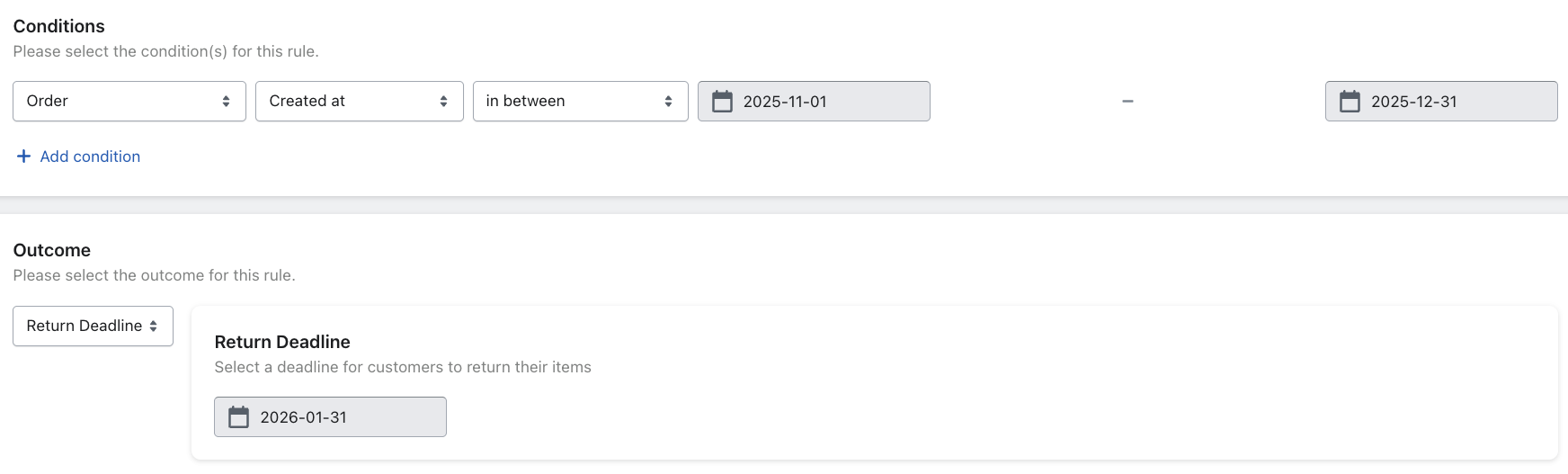
- Set a fixed return deadline - for example, all orders purchased during this year’s BFCM can be returned until next year, January 31
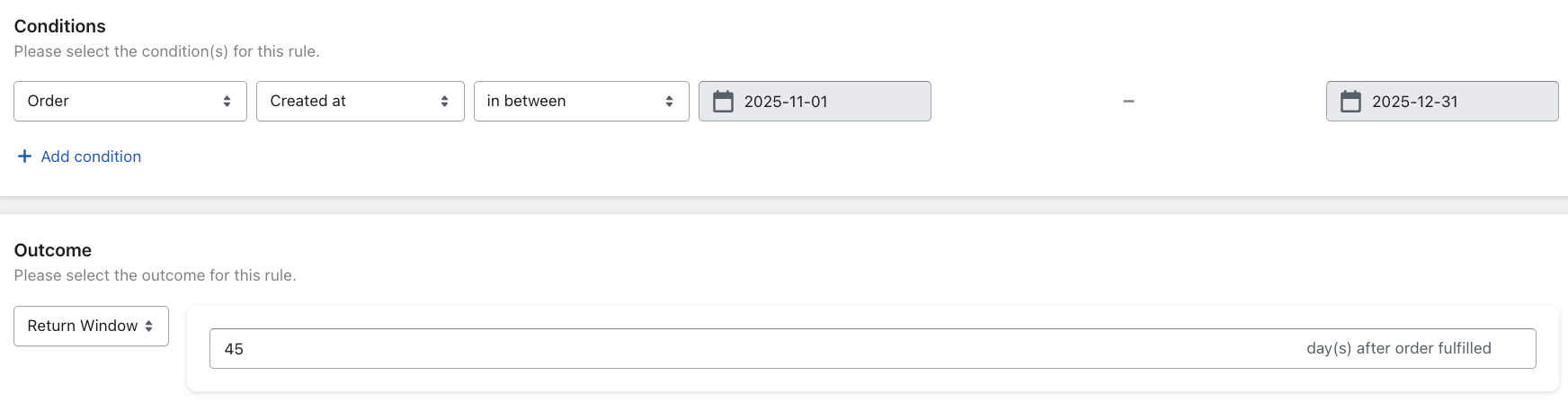
- Offer an extended return window - instead of your usual policy, allow returns within a longer timeframe
Avoid overselling by reserving exchange items and setting an inventory buffer
During the BFCM rush, inventory moves fast - popular items can get sell out on website before exchange requests are fulfilled. Prevent this by reserving the exchange item and keeping a small safety buffer.
- Reserve Inventory automatically hold items in Shopify for customers requesting exchanges.
Instead of waiting until the exchange request is resolved, the system reserves the exchange item earlier in Shopify when the request is first approved - ensuring that the exchange item is ready to ship once the request is resolved.
The setup is straightforward - simply follow our guide 👉 here.
- Minimum Exchange Quantity helps to keep an inventory buffer by defining a minimum stock threshold.
When the specific item’s inventory drops below this limit, variants will appear greyed out in your returns portal - preventing overlapping sales between exchanges and new purchases.
To learn more, you can refer to our setup guide 👉 here.
Retain sales with exchanges and store credit
BFCM often comes with signification discounts. One simple way to retain and recapture more revenue without compromising the customer experience is to offer returns only for an exchange or store credit.
Here’s how you can approach it:
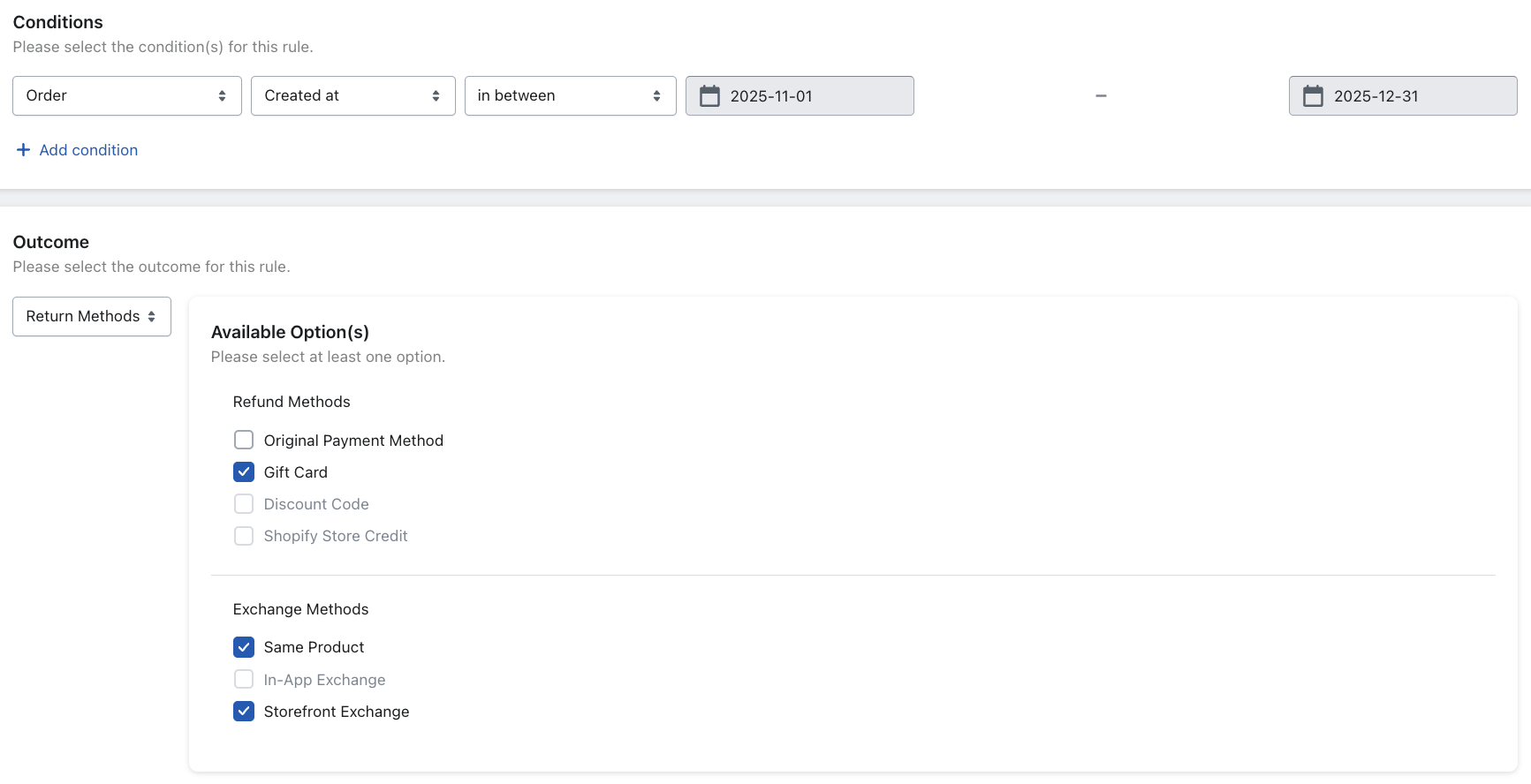
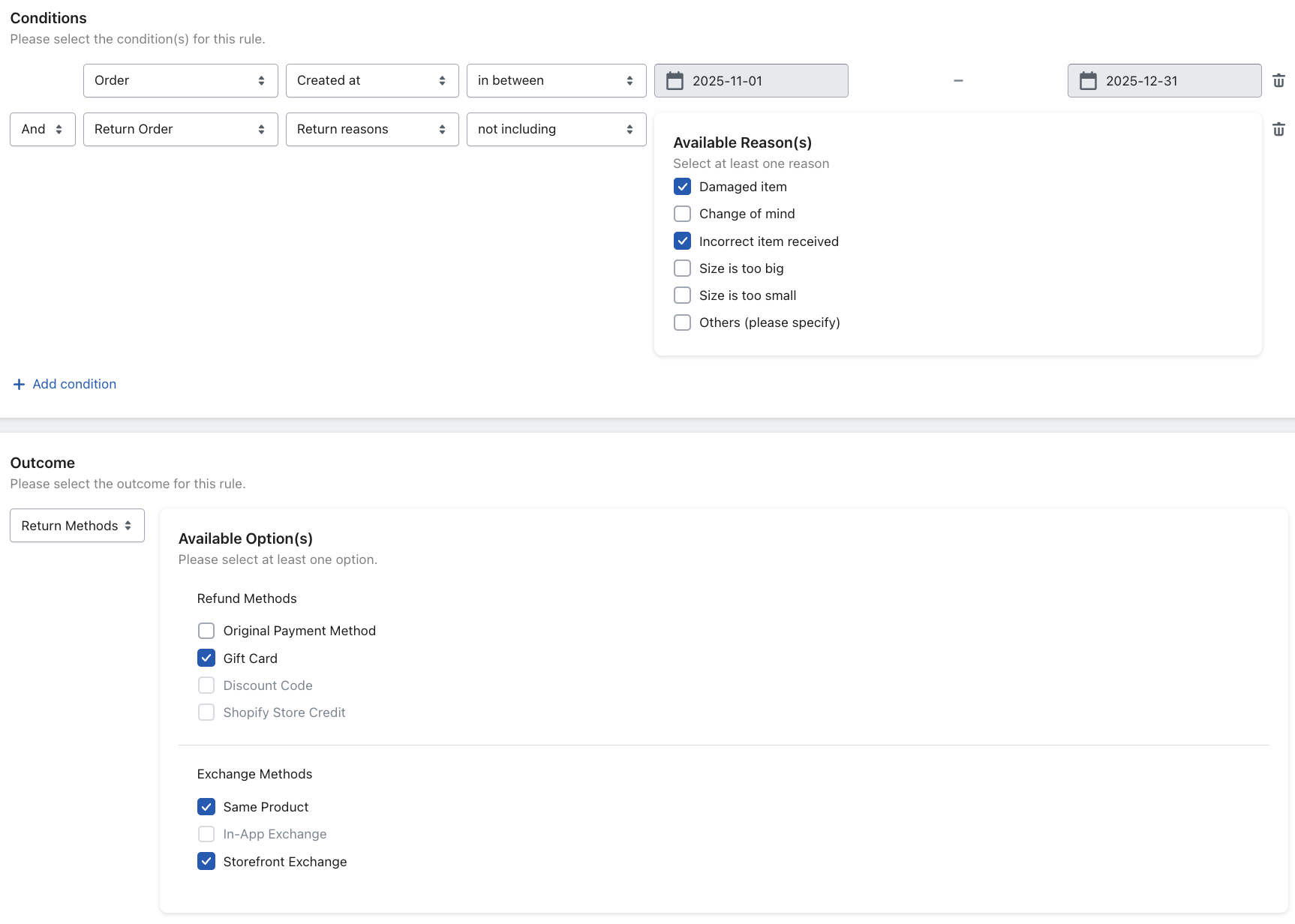
- Offer only exchanges or store credits for BFCM purchases
Give customers the option to return their orders only for an exchange or a store credit when purchased during your designated BFCM period.
- Allow refunds only for damaged and incorrectly received items during BFCM
To give customers more confidence to purchase during BFCM, you can allow refunds only for damaged or incorrectly received items. For all other cases, offer exchange or store credit instead.
Disallow returns for selected BFCM items
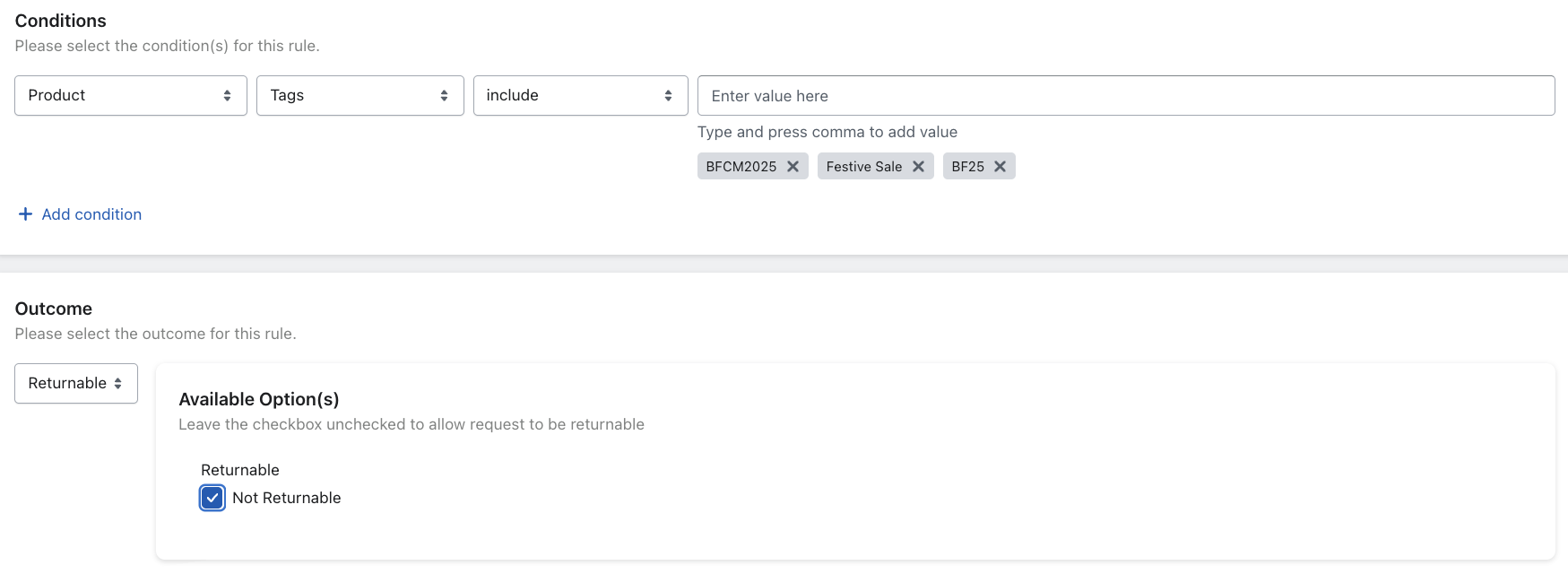
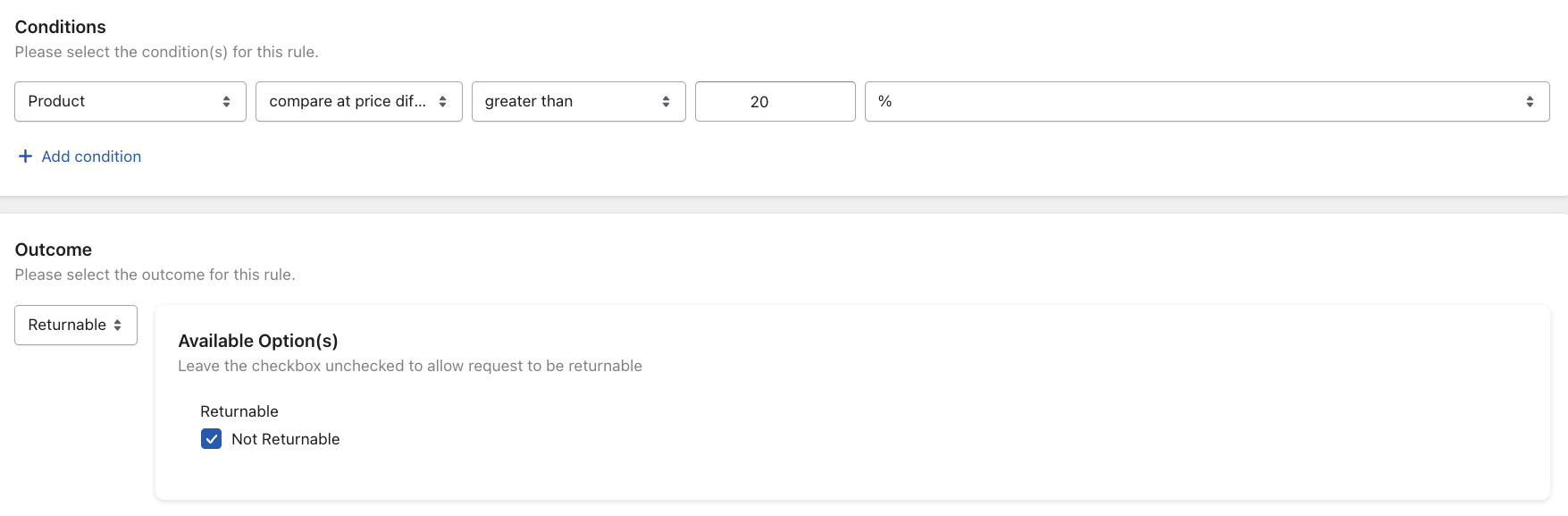
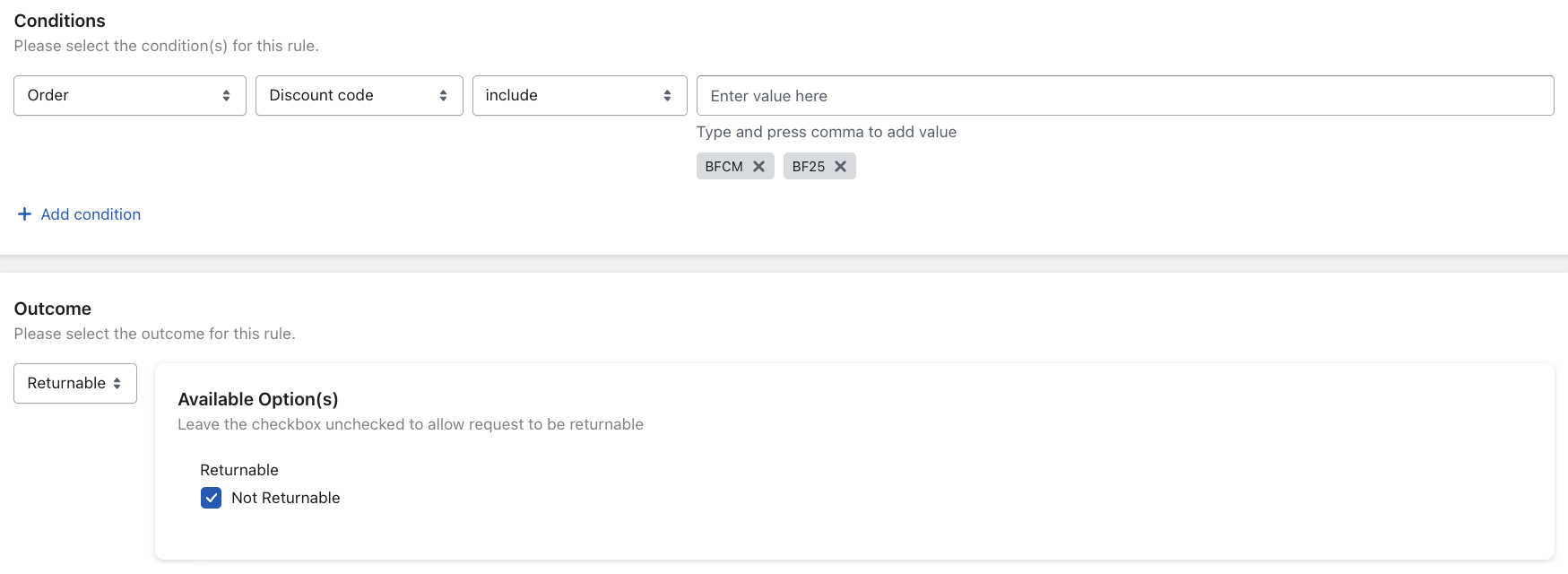
As BFCM orders are heavily discounted, you may want to disable returns for these products entirely to protect your margins.
There are a few ways to do this, depending on how your BFCM discounts are configured:
- By compare-at-price difference
- By order discount code
Alternatively, if you’ve tagged all BFCM items with a product tag (e.g. BFCM), you can simply set up a rule that prevents returns based on the product tags. This approach keeps your workflow clean and ensures that discounted BFCM purchases remain final sale.